Github actions to automate worker deployments
March 01, 2020
This is basically a part two of my post on how I built this serverless blog running entirely on Cloudflare Workers. The source code for this blog lives in github and I wanted to configure a some automated deployment pipelines so that when I push any new code on a branch beginning with staging/ it will automatically build and deploy the code to a staging environment and when I merge a PR into master/ it will automatically build and deploy the new version of tiffanymoeller.com you're reading now!
Leveraging github actions, I was able to build out two new continuous deployment pipelines for this serverless blog in three steps:
- Make a staging subdomain for my website
- Add new environments to my workers configuration
- Publish two new github actions
1. Make a staging subdomain
To create a new staging subdomain, all you need to do is add a new CNAME record in your Cloudflare DNS settings to point staging to your root domain! This is what it looked like when I configured mine:
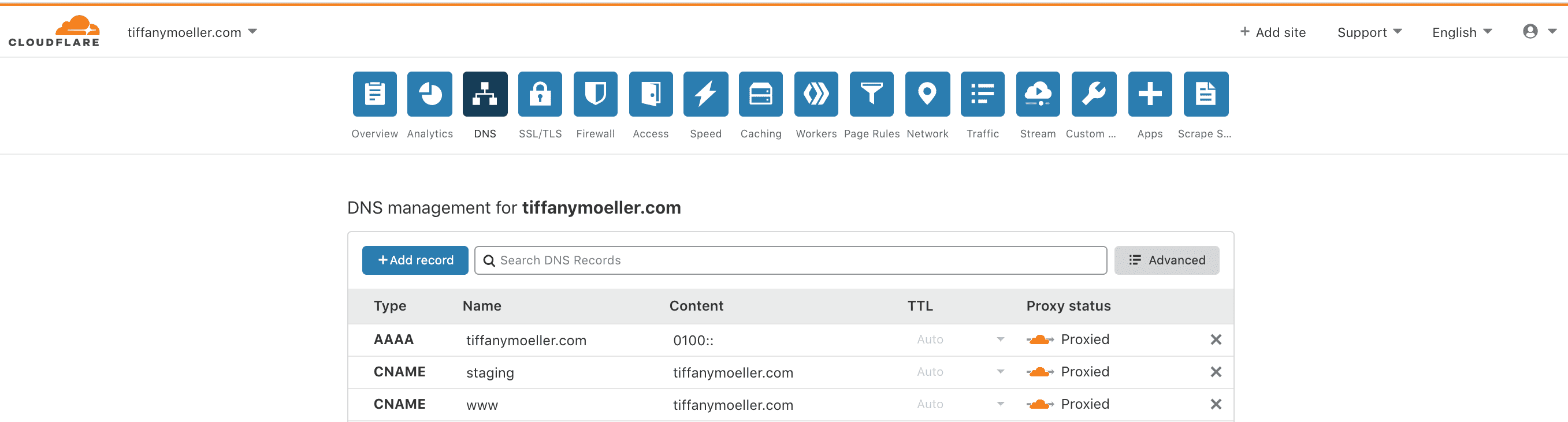
Please note that it can sometimes take a few hours for new DNS records to propagate so don't worry if you can't immediately see your site at the staging subdomain you just added!
2. Add new environments to workers configuration
Now I can define a staging and production environment in my workers configuration via my wrangler.toml file. There is great documentation on defining different environments for workers deployments in the official documentation
After adding my new environments, my wrangler.toml file looked like:
type = "webpack"
account_id = "< ACCOUNT ID >"
zone_id = "< ZONE ID >"

[env.staging]
name = "tiffany-moeller-staging"
workers_dev = false
route = "staging.tiffanymoeller.com/*"

[env.production]
name = "tiffany-moeller"
workers_dev = false
route = "tiffanymoeller.com/*"

[site]
bucket = "./public"
entry-point = "workers-site"
This will let me deploy things to staging.tiffanymoeller.com before they are deployed to tiffanymoeller.com! Now we just need to define the automatic deployment pipelines using github actions!
3. Publish new github actions!
There's great documentation on github actions here. Instead of building my own pipeline from scratch, I decided to use the supported github action in the marketplace which was developed by Cloudflare's workers team! You can find out more about the Deploy to Cloudflare Workers with Wrangler github action here.
I made two new files, staging.yml and main.yml and added them to a .github/workflows folder in my project so github actions would know where to find them.
They are basically the same, but one will deploy to the staging environment when code is pushed to any branch beginning with staging/ and the other will deploy to the production environment when code is pushed to my master branch.
staging.yml
name: Deploy to Staging

on:
  push:
    branches:
      - 'staging/*'

jobs:
  deploy:
    runs-on: ubuntu-latest
    name: Deploy
    steps:
      - uses: actions/checkout@master

      - name: Install dependencies
        run: yarn install --prod --pure-lockfile

      - name: Build site
        run: 'yarn run build'

      - name: Publish
        uses: cloudflare/wrangler-action@1.1.0
        with:
          apiToken: ${{ secrets.CF_API_TOKEN }}
          wranglerVersion: '1.6.0'
          environment: 'staging'
main.yml
name: Deploy to Production

on:
  push:
    branches:
      - master

jobs:
  deploy:
    runs-on: ubuntu-latest
    name: Deploy
    steps:
      - uses: actions/checkout@master

      - name: Install dependencies
        run: yarn install --prod --pure-lockfile

      - name: Build site
        run: 'yarn run build'

      - name: Publish
        uses: cloudflare/wrangler-action@1.1.0
        with:
          apiToken: ${{ secrets.CF_API_TOKEN }}
          wranglerVersion: '1.6.0'
          environment: 'production'
Defining the API Token in your github secrets!
Before github actions can execute the pipelines above, you'll need to define the apiToken value as an encrypted Github secret in your repository.
Use the same Cloudflare Worker Token you have used when configuring your wrangler deployments manually with wrangler config. If you don't yet have a Cloudflare API token you can create one by visiting https://dash.cloudflare.com/profile/api-tokens and creating a new token using the "Edit Cloudflare Workers" template.
Then you can add the CF_API_TOKEN secret to your github project like I did here:
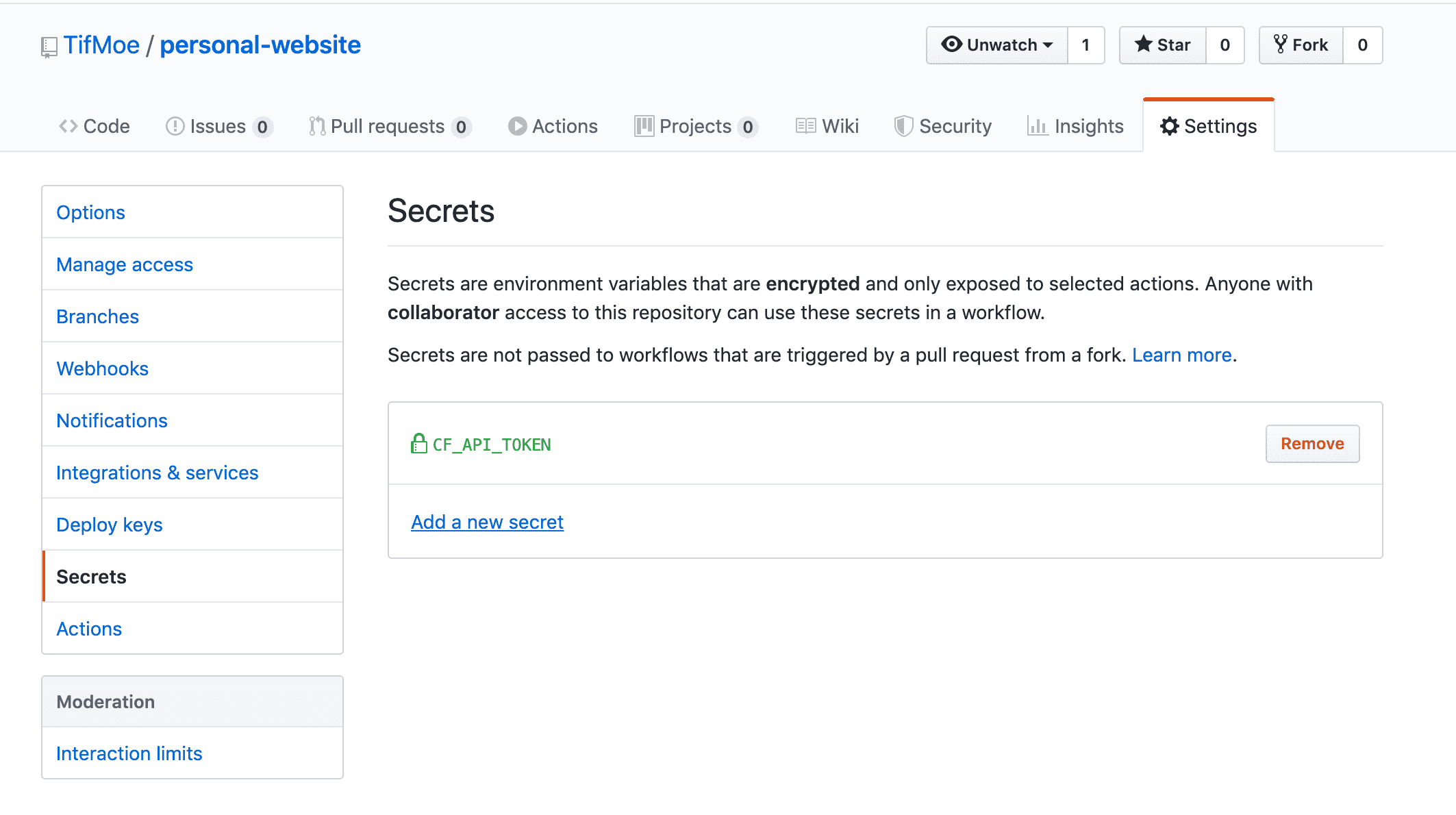
Now when I push code to any branch beginning with staging/, github automatically builds the new code and deploys to my secret staging enviornment. When the branch is ready to be merged into master it will auto-deploy to the blog you're reading now!
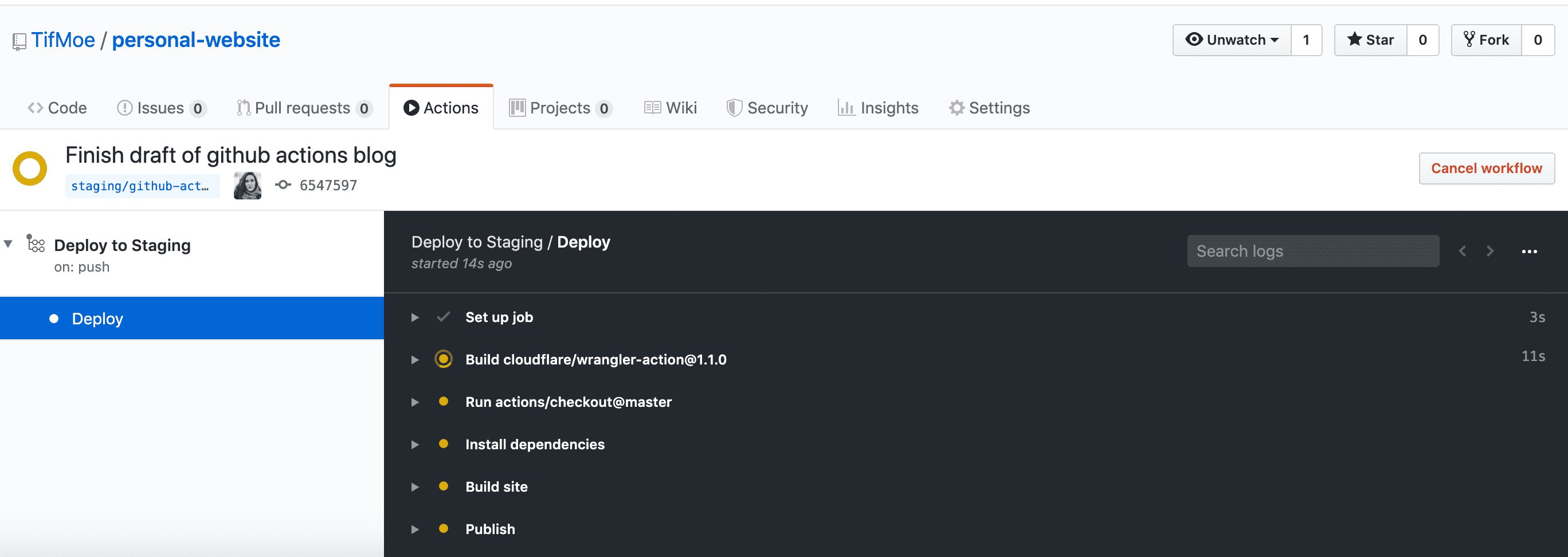
If you need to check the status of your automatic builds or debug any of the pipeline configuration, take a look at the Actions tab in your github repo!